IAM Local 639 · Wichita, Kansas
Stay connected, informed, and empowered
639 Connect puts union business in your pocket. Notices from the hall, the dates of every meeting and vote, your agreements and benefits, and the officials who represent you — all in one app, built for the members of IAM Local 639.
Free for members · iPhone and Android · Requires an account issued by the Local
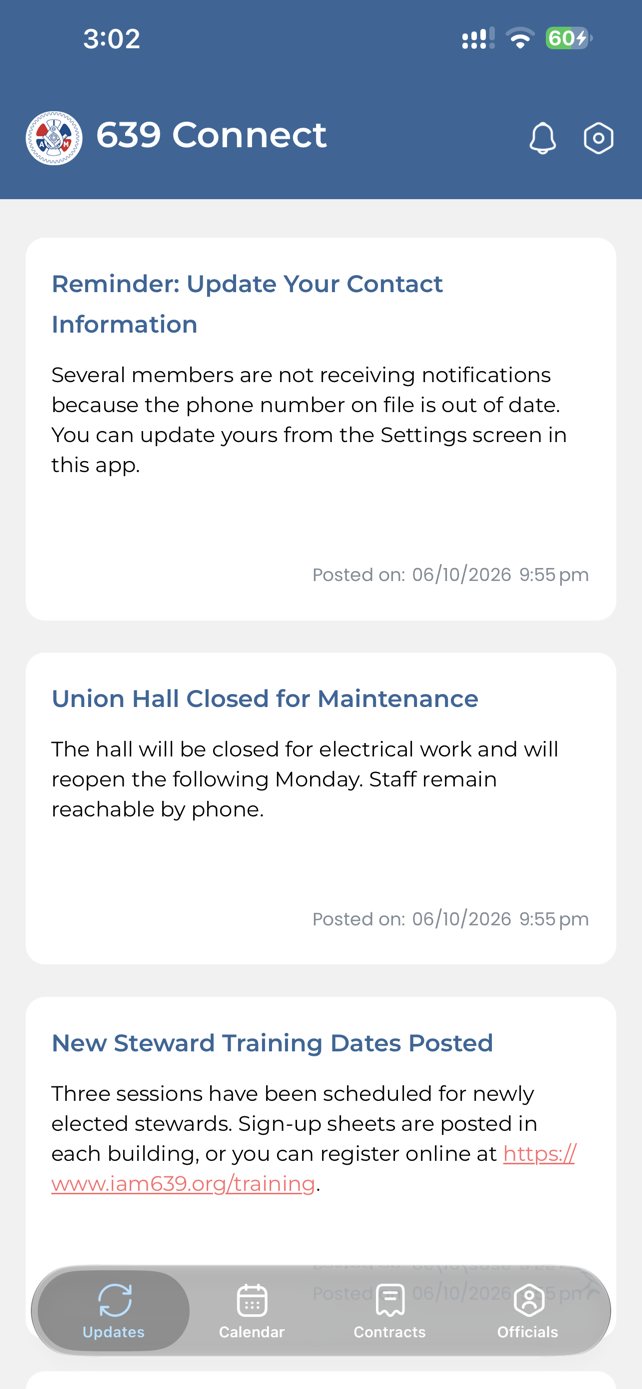
Four tabs. Everything the hall needs you to see.
There is no feed to sort through and no group to join. The app opens on the latest notice from the office, and the rest is one tap away.
Notices from the hall, newest first. Tap one to read it in full, with the author, the date, and any links the office included.
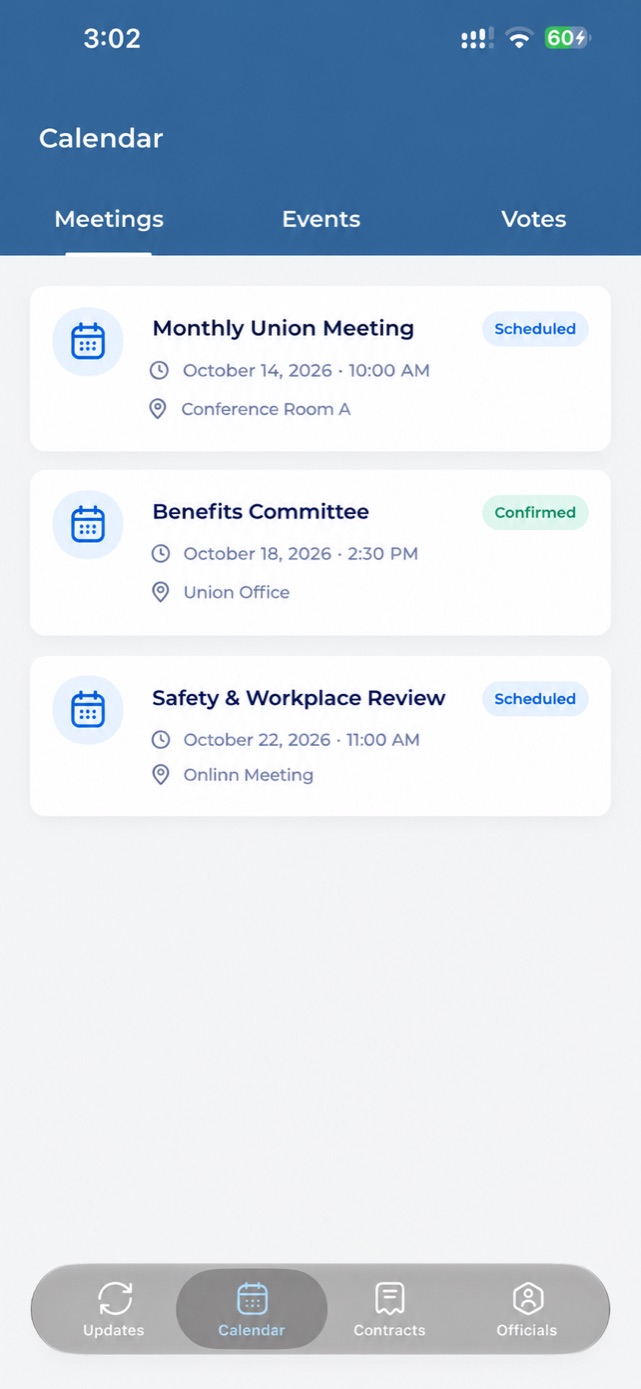
Meetings, events and votes kept in three separate lists, each with the date, the time and where to be.
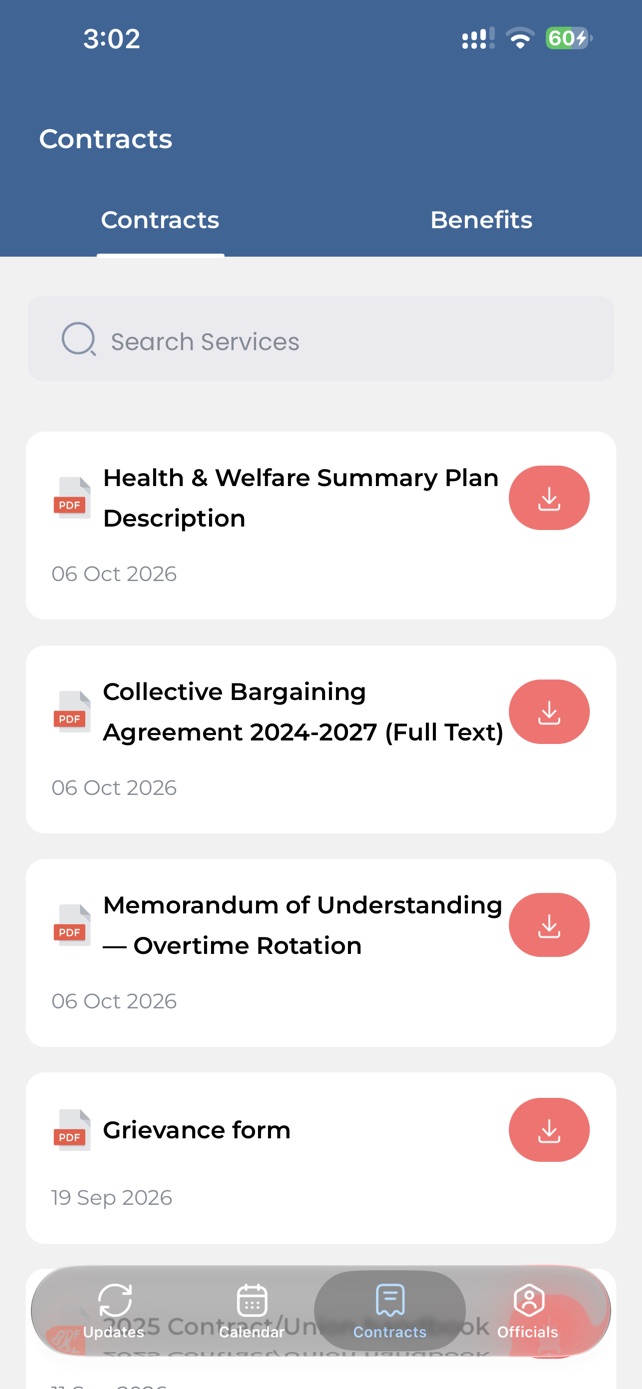
Your agreements, searchable, with a one-tap download that keeps the PDF on your phone.
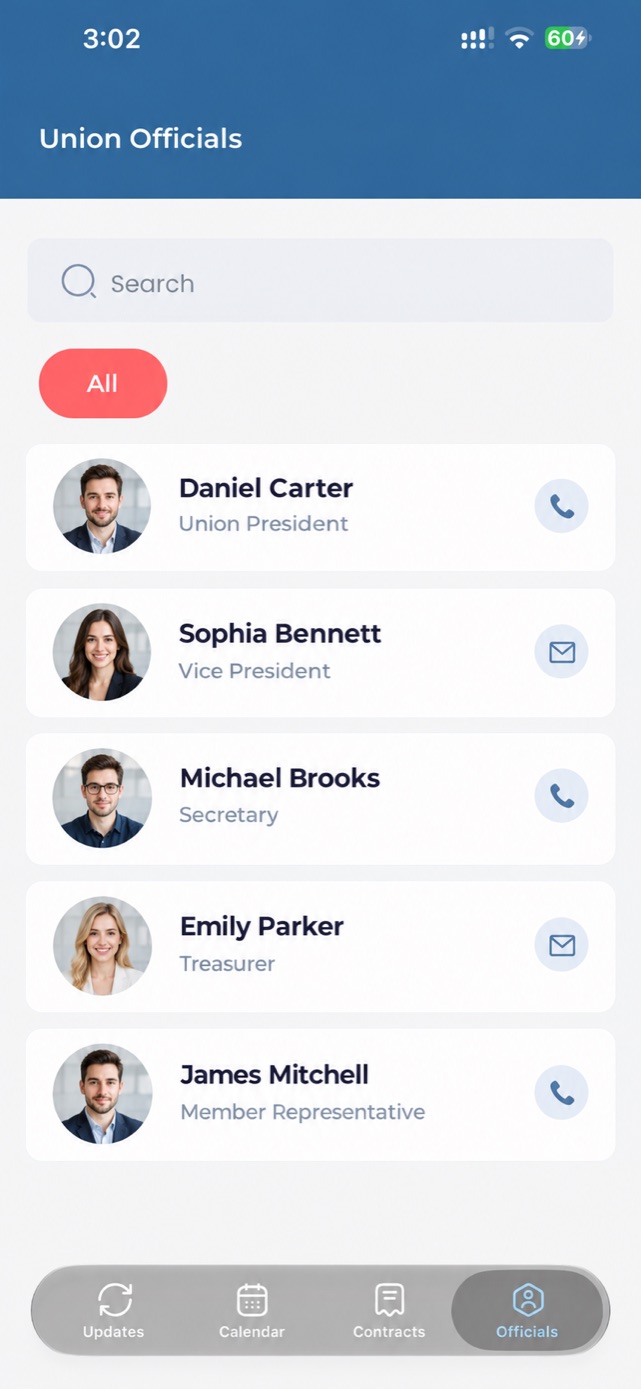
Who represents you, what they hold, and a button to reach them — searchable, so you find the right person without asking three people first.
Example content shown.
Hear it from the Local first.
Every notice the office posts shows up the moment it goes up — contract talks, shift changes, hall closings, call-outs. A push notification tells you it is there, and the bell keeps the ones you have not opened, so nothing scrolls past you on a double shift.
Know the date before the shift ends.
Membership meetings and union events, each with the venue, the time, and what is on the agenda. Turn on Meeting & Vote Reminders in Settings and the app tells you while there is still time to make it.
Cast your vote from the floor.
Open ballots show how long you have got and how many members have voted. Tap Cast Now, make your choice, and the app confirms it. Once you have voted, the card switches to View Detail — you can check what you did, and you cannot do it twice.
The agreement, in your pocket.
Search the contracts the Local has posted and read them right in the app, or download the PDF and keep it on your phone for the days the plant's signal will not cooperate.
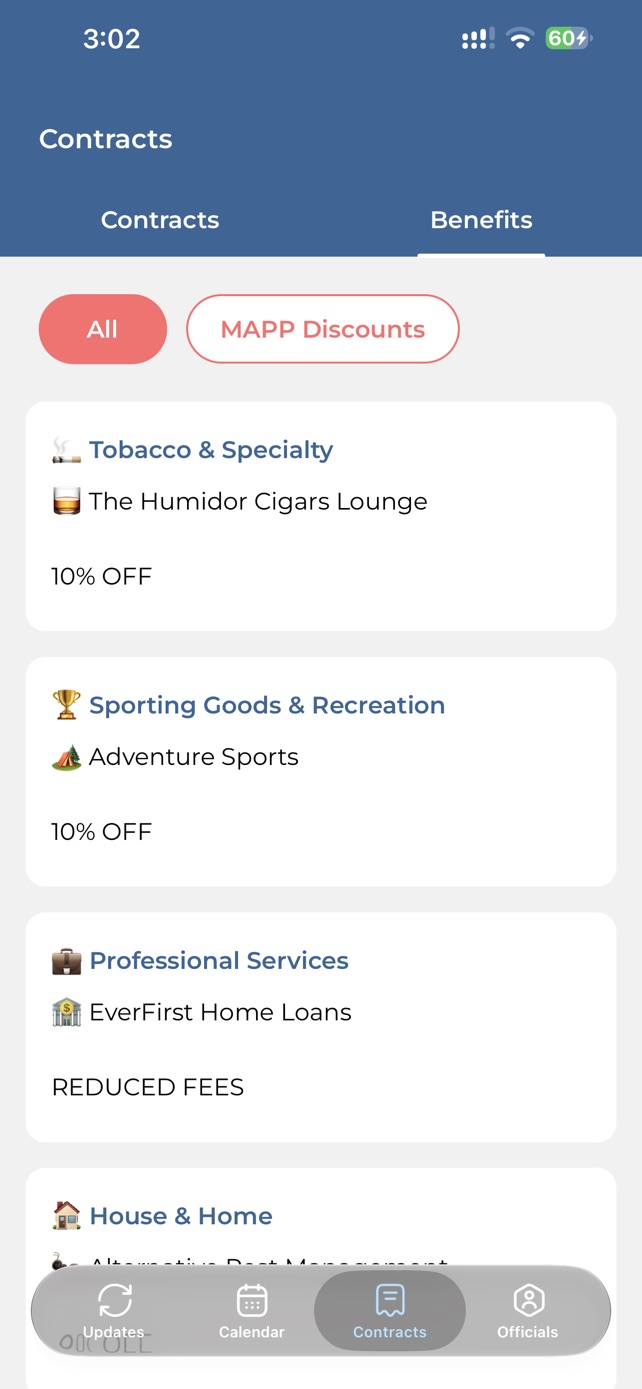
The benefits you are owed.
Member benefits and MAPP discounts, filed by category — from professional services to home and recreation — so you can see what your card is worth without ringing the hall to ask.
Know who to call.
A searchable directory of your officials and stewards — name, shift, and the building they work out of — filtered by category, so you find the right person without asking three people first.
What the app tells you on day one.
The three things 639 Connect sets out to do, in the words it uses on first launch.
“Get the latest union news, updates, and announcements right on your home screen so you never miss what matters.”
“See upcoming meetings, and votes securely, and make your voice heard in union decisions.”
“Access contact details and profiles of union officials so you always know who represents you.”
Getting your login
Accounts are issued by the Local, not signed up for. Three steps.
Email the Local
Write to iamunionapp@gmail.com from the email address you want to sign in with. Your account is created on that address.
Download the app
Install 639 Connect free from the App Store or Google Play.
Sign in
The first time, you confirm your phone number with a code sent by text. After that it is your email and your password.
Not a member of IAM Local 639? The app is for members of the Local. For everything else, see iam639.org.
- Platforms
- iPhone and Android
- Version
- 1.0.2
- Price
- Free for members
- Orientation
- Portrait
- Access
- Account issued by IAM Local 639
- Language
- English
639 Connect is on the App Store and Google Play.
Free for members of IAM Local 639.